
System Properties
You can use system properties to specify or override property placeholder values that a connector or component in a Mule app uses. MuleSoft recommends this practice when you are deploying your app to a new environment and need to override values in configuration property files for your Mule app.
You can manage system properties in these ways:
-
From Anypoint Studio through the Run Configurations window for the project.
-
From the command line for a standalone Mule instance.
Set System Properties in Anypoint Studio
You can add properties when you launch your project through the Package Explorer in Studio:
-
Right-click the project for your Mule app in Package Explorer.
-
Click Run As → Run Configurations.
-
Pick the Arguments tab.
-
Add your arguments to the VM Arguments field, prepending the property names with
-D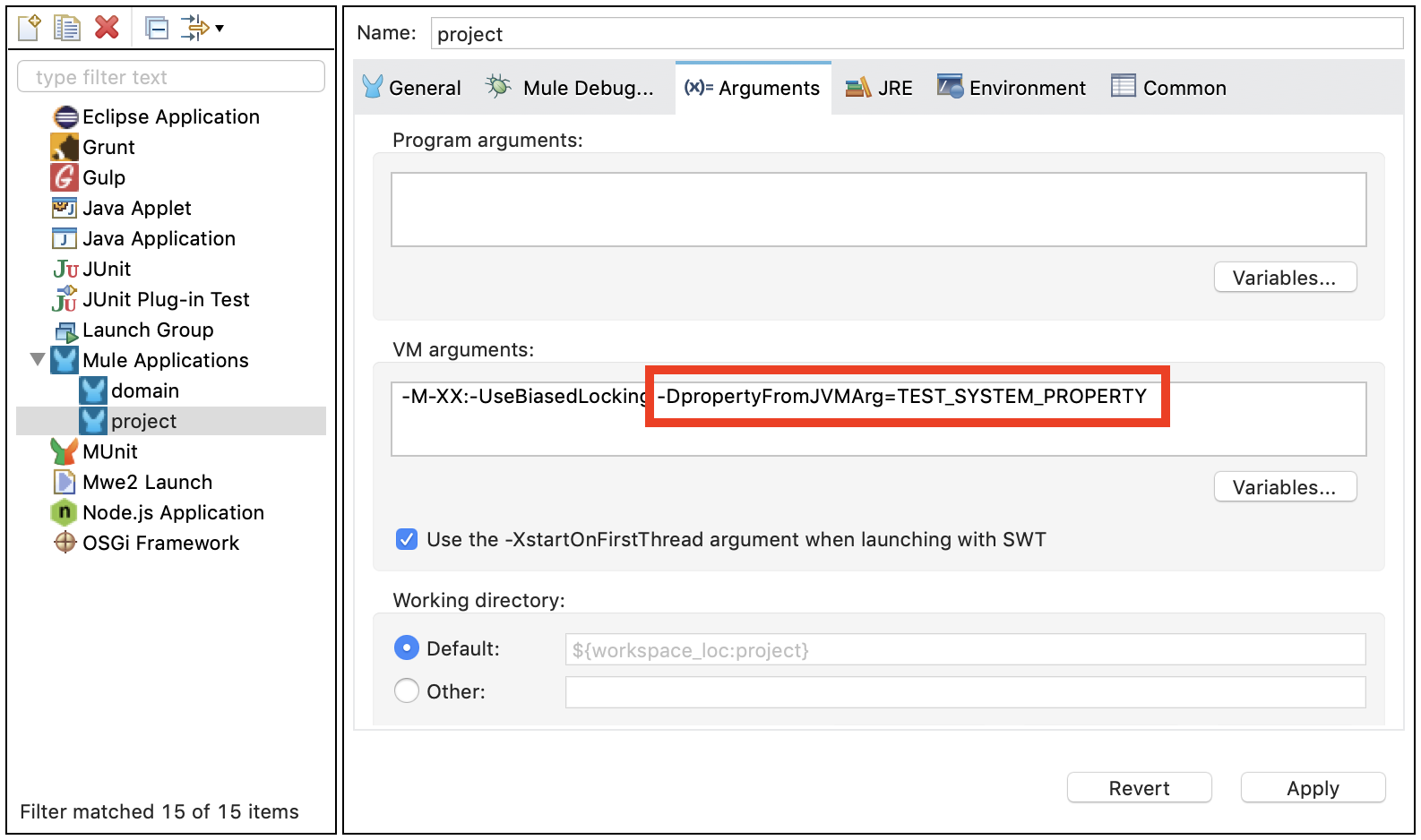
When you deploy your app through Studio, the new values for property placeholders will take precedence over other values set for those placeholders:
<logger message="${propertyFromJVMArg}" doc:name="System Property Set in Studio through JVM args"/>
Set System Properties for On-Premises Deployments
For On-premises Mule instances, you can set and change system properties from the command line or define them in the wrapper.conf file.
Set System Properties when Starting Mule
Append -M-Dmule.<variable-name>=<value> to the mule or mule start command to set a system property.
Replace <variable-name> with your desired property name.
Replace <value> with the value to define for the property.
The following example starts Mule and defines two properties with different values:
$ mule start -M-Dmule.myEnv=prod -M-Dmule.myValue=1234
Set System Properties in the wrapper.conf File
Add wrapper.java.additional.<n> entries to the wrapper.conf file in the ${MULE_HOME}/conf directory, prepending property names with -D.
For example, to set Mule encoding, add the following line to the Wrapper configuration file:
wrapper.java.additional.999=-Dmule.encoding=ISO-8859-1Considerations for Adding System Properties
-
Ensure that the new property entry number is not in use.
If you add
wrapper.java.additional.<n>entries to the configuration file, always change each instance of<n>to a new number that is not used, otherwise, Java does not parse the properties correctly. -
Use values outside the sequence for properties in an include file.
If you add
wrapper.java.additional.<n>entries in an include file, configure a high<n>value to ensure that the numeric values of the properties are outside the standard sequence. Also, ensure that thewrapper.ignore_sequence_gapsproperty is set totrue. For example:wrapper.java.additional.1900=-Dprop=value1 wrapper.java.additional.1901=-DotherProp=value2 wrapper.ignore_sequence_gaps=TRUE